I Built My Kids Their Own Audiobook Players
My son loves audiobooks, and we did not want to give him a phone. Over about two weeks I built him his own audiobook player, then built two more when his siblings saw it.
They’re red, blue and green, one color per kid so nobody fights over whose is whose. Each one does one thing. You turn it on, tap a book cover, and it starts reading.
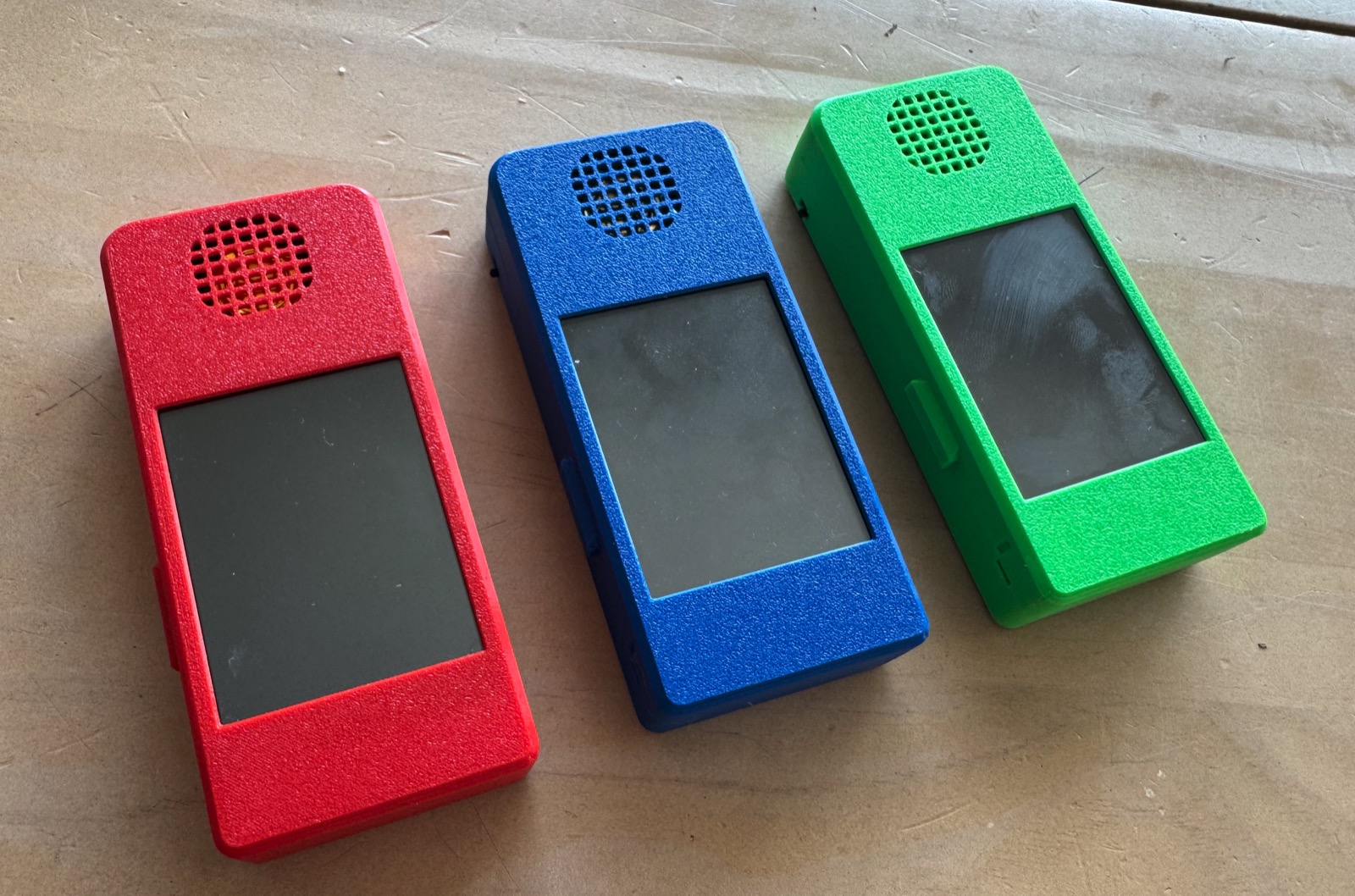
A parent picks the books, the kid picks which one to play. There are no apps, no browser and no store. Just a shelf of covers and a play button.
We already run Audiobookshelf at home for our own library. When I tag a book for one of the kids, it shows up on their player.
The buttons are big because little fingers miss. There is back 30 seconds, play/pause, forward 30 seconds, and a chapter list. I started out with Bluetooth headphones, but once a tiny speaker went in, that is what he used.
Each player is built around a “Cheap Yellow Display,” a cheap little board with a touchscreen and an SD card slot. I did not write any of the code myself. I described what I wanted to Claude Code, it wrote the software and loaded it onto the board, then I tested it on the real device and told it what was wrong.
My first project on the board was a weather and radar screen, just to learn how it worked. The audiobook player came next and grew one request at a time.
The first version played books off the SD card through Bluetooth headphones and crashed at first, which took a few rounds to sort out. I also had to pull the SD card out to add books, but now the player syncs over Wi-Fi and downloads new books from our home server by itself.
Then I found a small speaker in a drawer and plugged it in. A speaker switch and volume control followed. After that I ordered a battery, a charging board and a switch, and Claude walked me through wiring them up. My kid and I soldered the parts together ourselves, and he learned how to do that. The last piece was limits: a daily listening limit, a grown-ups menu and a time-left bar.
The board has a tiny amount of memory, which caused most of the surprises. Wi-Fi and Bluetooth won’t fit in memory together, for example. Each player has two programs on it, one for downloading books and one for listening, and switches between them on its own without you ever noticing.
The case
A bare circuit board is not a kid’s toy, so it needed a case. Claude designed that too, starting from an existing open-source CYD case and stretching it into a handheld about the size of a TV remote (123 × 55 × 23 mm).
The speaker end has a grille at the top that points the sound at the listener. There is a battery bay in the back for a flat rechargeable battery, plus USB-C charging and an on/off switch, with the charging lights glowing through the bottom. Every original port and the SD card are covered. Nothing for the kids to pull out or poke into.
It’s two printed parts that snap together with no screws. You can spin the 3D model and watch it assemble below. I printed each one in that kid’s color with a textured finish that hides fingerprints.
Red was the first one. When the other two kids saw it they wanted their own, so blue and green followed, each with its own books, limits and bookmarks.
I tag a book red, blue or green in our library and it lands on that player. If two kids want the same book I add both tags. Each player keeps its own place in the book.
We started with a daily listening limit of 45 minutes. A bar down the left edge of the screen empties as the time gets used, going from green to orange to red. Everyone can see at a glance how much is left.
My first worry was that a kid would just turn it off and on again for more time. The player saves its count, and a new day only starts when it checks in with the home server.
I set each kid’s limit from a web page, from home or away, and it also shows two weeks of listening history. There is a hidden grown-ups menu on the player too. You press and hold a corner of the screen and enter a PIN. From there I can add or take away 5 or 10 minutes, connect Bluetooth headphones or force a sync.
The kids kept leaving them on overnight and draining the battery, so now a player switches off after 5 minutes of silence. When I change the software, all three pick up the update over Wi-Fi the next time they’re turned on at home. No cables!
What I learned
Almost every feature came from watching the kids use it. I planned for headphones but the speaker won. I built a background sync, but we switch the players off, so now it checks in at power-on instead. I never planned on auto-off until a battery died overnight.
The blue and green boards came from the same listing as red, but turned out to be a newer revision. The screen showed inverted, washed-out colors and the speaker hissed badly. Claude fixed the screen in software. The hiss took a 47-ohm resistor I pulled out of an old gadget in my junk pile.
Building three was a lot more work than building one. The first player I could fix by plugging it into my laptop, but with three I needed per-kid settings, a way to tell them apart, and updates over Wi-Fi.